
Cursor
Connect your Cursor team account to track AI coding assistant spend by user and model from available Admin API usage events.

AI coding assistant
What StackSpend tracks
Once connected, StackSpend pulls the following data from the Cursor Admin API:
- Available usage-event costs via the Admin API, refreshed through scheduled sync
- Model-level usage breakdown (which models are consuming tokens)
- User-level breakdown (spend per team member)
- Input, output and cache token counts where reported on token-based events
- Cursor token fees where returned; seat subscriptions and included allowances are not reconstructed
Prerequisites
- A Cursor team account
- Team admin access
- A Team API key (created with Admin scope)
Setup
Open Cursor Settings
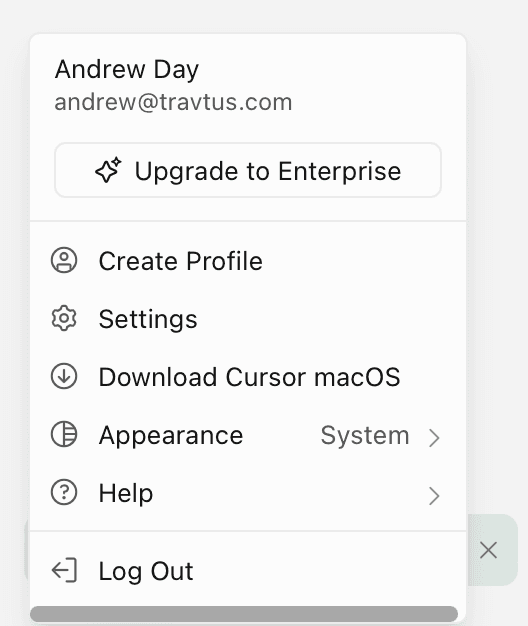
Go to cursor.com/dashboard/api, or open the account menu in the top-right and click Settings.
Go to API Keys
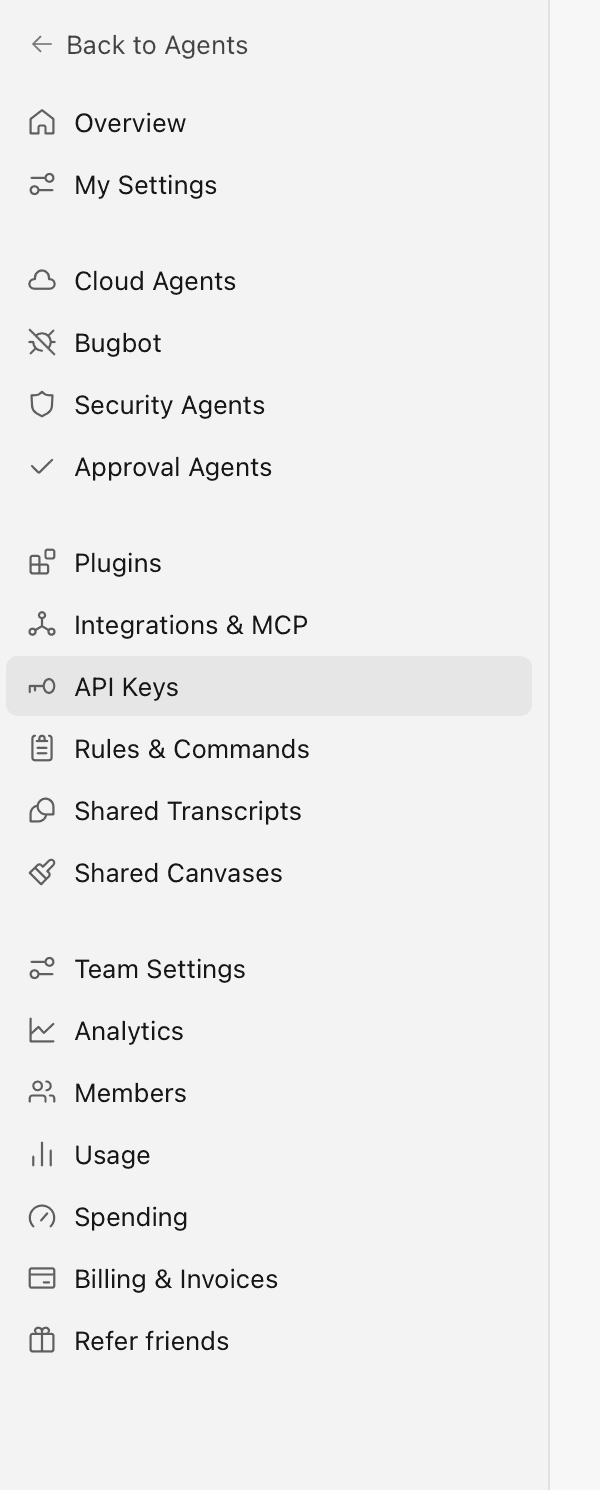
In the settings sidebar, select API Keys.
Create a Team API key
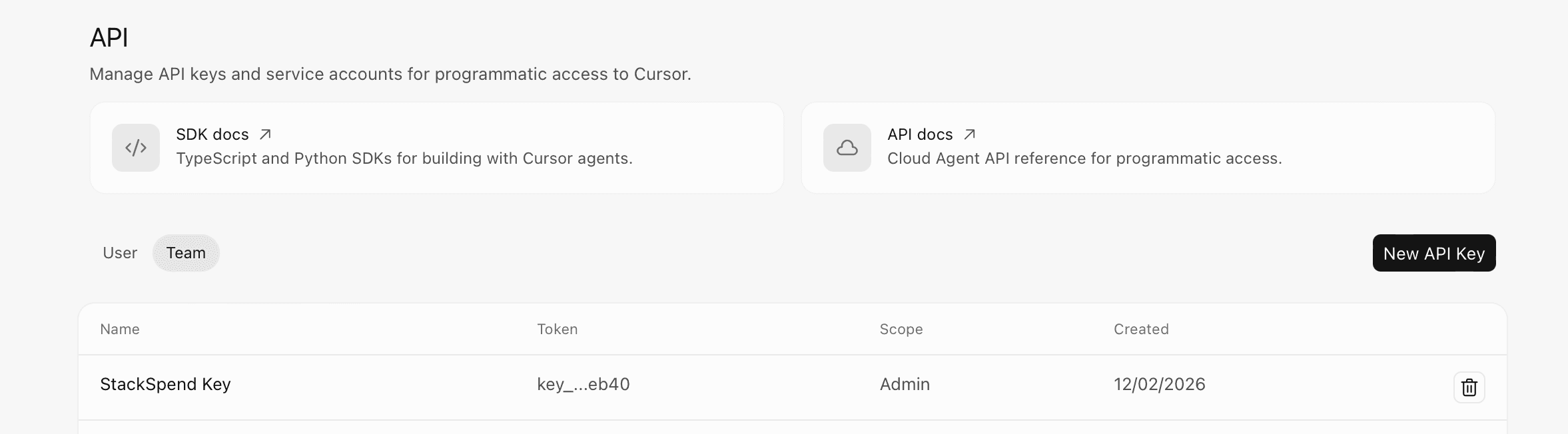
Switch the toggle from User to Team, then click New API Key. Give it a descriptive name (for example, StackSpend) — it is created with Admin scope.
Copy the key
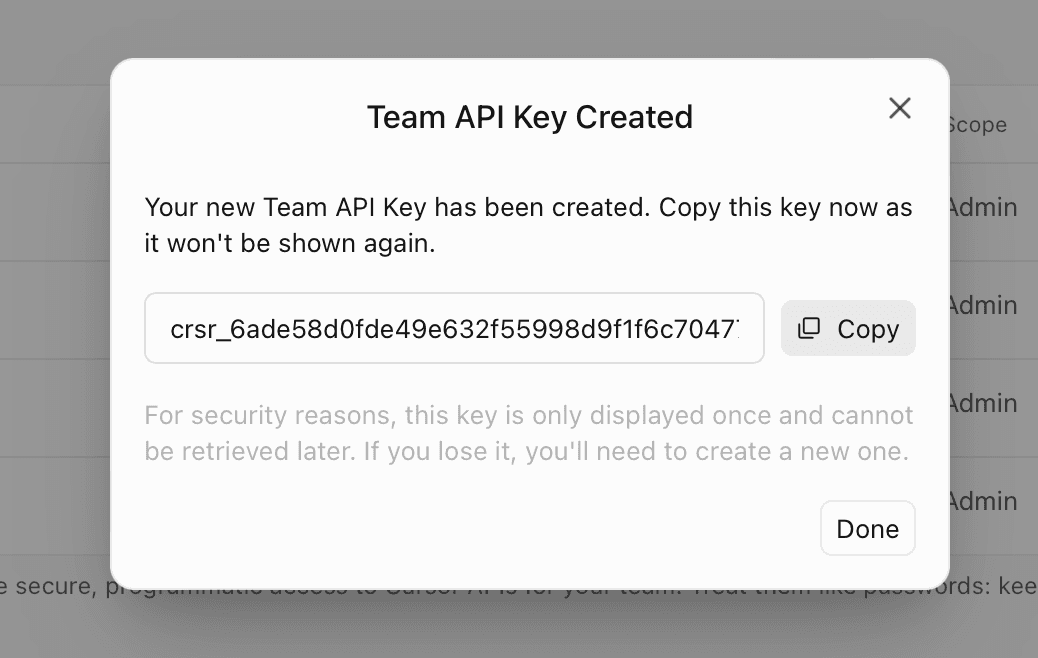
Copy the key now (it starts with crsr_) — Cursor will only show it once. If you lose it, just create a new one.
Add to StackSpend
In StackSpend, go to Providers → Add provider and select Cursor. Paste your key into the Admin API Key field and click Save.
Add Cursor provider
A Team API key with Admin scope.
Verify the connection
After saving, check the sync status before interpreting the dashboard. Compare the returned date range, users and models with the same period in Cursor. If the connection fails, double- check that the API key has not been revoked and that it was created under the Team tab (Admin scope) rather than as a personal User key.
Complete your first Cursor review
- Record the latest successful sync and the date range returned by Cursor.
- Compare available users and models for the same period. Keep request-based activity separate from token totals and note any coverage gaps.
- Choose one usage change and ask its workload owner to explain it. Check seat charges, included allowances and invoices in Cursor billing.
- Choose the next review owner. If your plan supports the budget or notification workflow you need, configure it, confirm the recipient and review the next daily signal.
Your trial outcome is a verified coverage note, an explained change or documented investigation, and a named review owner. See the Cursor trial checklist and plan availability. Alerts notify your team; they do not enforce Cursor spending limits.
Data availability
| Property | Value |
|---|---|
| Data latency | Determined by Cursor reporting and scheduled sync; check the latest successful sync |
| Setup time | ~2 min |
For a full list of supported providers, see the Connecting Providers overview.
Frequently asked questions
What credential does StackSpend need to connect Cursor?
StackSpend needs a Cursor Team API key with Admin scope (it starts with crsr_). Team keys can only be generated by a Cursor team admin under the Team tab, not as a personal User key.
Is the connection read-only?
StackSpend makes read requests for usage data and does not change your Cursor settings or members. The Team Admin key can have broader permissions: review its scope in Cursor. Available usage-event costs and token counts are separate from seat subscriptions, included allowances and the invoice.
How long does setup take and how much history loads?
The guide estimates about 2 minutes for setup, excluding admin approval and sync. Initial history depends on the events Cursor returns; a full 90-day history is not guaranteed. Check the returned date range and latest successful sync.
Why don't I see any cost data yet?
Check whether the initial sync succeeded and whether Cursor returned events for the period. Confirm the key has not been revoked and is a Team key with the required API access. A successful connection with no returned events does not establish zero spend.